Argus Console
The Argus Console is a home base for the whole local workflow — run a
scan, browse findings, edit config, initialize a project, and tune your
preferences, all without leaving the terminal. It is an Argus add-on:
with it installed, running argus with no subcommand in an interactive
terminal opens the Console.
argus            # opens the Console when the add-on is installed
argus view       # always jumps straight to the findings viewer
argus scan ...   # every subcommand is unchanged
Backward compatible by design. The Console only takes over bare
arguswhen stdout and stdin are a TTY and a Console provider is installed. Piped, redirected, or CI invocations keep printing--help. On a stock open-source install (no provider), bareargusprints a one-line pointer and falls back to--help, so scripts and pipelines are unaffected.Get the Console. It ships as an Argus add-on that plugs into the open-source core through the
argus.console_providersseam. Learn more or request access: https://www.huntridgelabs.com/.
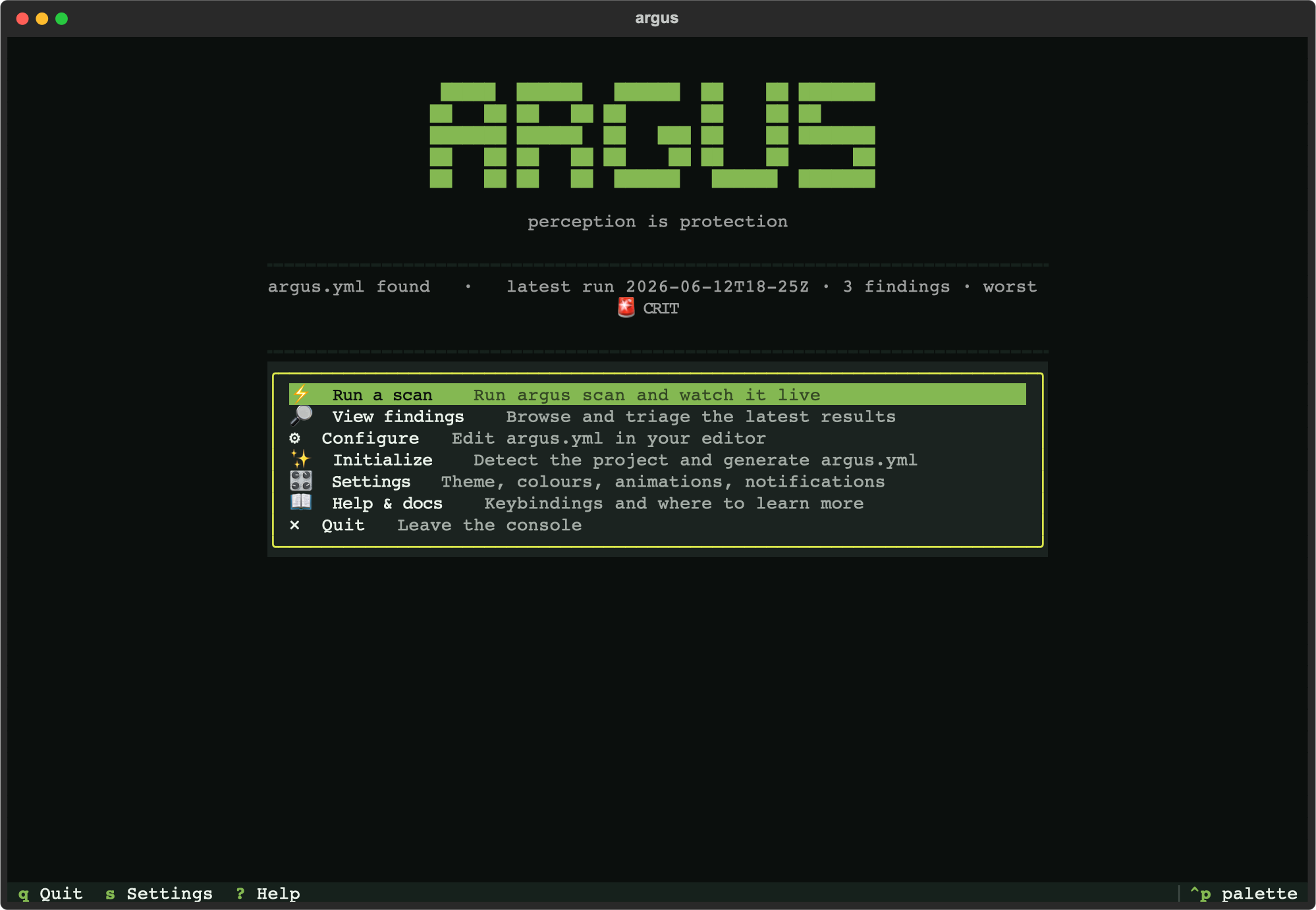
The home screen
- Wordmark + tagline, with a tasteful fade-in (honours reduced-motion
and the
ARGUS_NO_ANIMATIONenv var). - Status line — at a glance: whether an
argus.ymlexists, and the latest run's label, finding count, and worst severity (from the same run-discovery logic the viewers use). - System-readiness chip — a single go/no-go line (
●ready /▲warning /✖blocked) answering "can I scan right now, and with what?" before you hit a wall like "Docker isn't running". It checks the Docker daemon, how many common scanners are installed as local binaries, and whether cached Argus images match a published release digest. Computed in the background so the home paints instantly; pressdto expand it into the full breakdown with remediation for anything that needs attention. - Launcher menu — arrow keys + Enter, or click:
| Item | What it does |
|---|---|
| Run a scan | Runs argus scan and streams it live, then reloads. |
| View findings | Opens the full triage viewer (same as argus view). |
| Configure | Opens the form editor for argus.yml (see below). |
| Initialize | Guided first-run wizard — detect the project, review, write argus.yml (see below). |
| Settings | Theme, accent colour, animations, notifications. |
| Help & docs | Keybindings, where to learn more, and your terminal's detected graphics / hyperlink / truecolor support. |
| Quit | Leave the console. |
- Command palette (
Ctrl+P) — fuzzy-search and run any menu action without reaching for the mouse or memorising a key. Same palette the findings viewer offers, now on the home screen too.
Configure
Edit argus.yml by form instead of by hand. Move with the arrows, press
Enter to cycle the focused setting, s to save, esc to discard. Each row
shows the current value and a one-line description of what it controls.
The form covers the common edits — scanner on/off toggles and the bounded
choice settings (severity_threshold, execution backend / pull_policy,
and the viewer's cve_source / open_location). Edits are
comment-preserving: only the matched line's value is rewritten, so your
comments, ordering, and indentation survive. Before saving, the edited file
is re-validated against the config schema — an invalid edit is refused with
the reason rather than written.
Settings that aren't toggle/choice fields (paths, URLs, custom args) and
adding a brand-new scanner block still go through Initialize or your
$EDITOR. If no argus.yml exists yet, Configure points you to Initialize
and falls back to $EDITOR / $VISUAL so you can create one by hand.
Initialize
A guided first-run wizard, all in-app — no shelling out to the CLI. It runs
the same detection as argus init, shows what it found (languages,
dependency manifests, CI, infrastructure) and a one-line tool-readiness
summary, then lists the proposed scanners as toggles so you can turn any
off before writing. Press w to write argus.yml, or r to write and
jump straight into your first scan; esc cancels.
If an argus.yml already exists, the wizard says so and asks you to press
the write key a second time to confirm the overwrite — it never clobbers a
config silently. The detection and config generation are the exact pure
functions behind argus init; the wizard is just a frontend over them.
Settings
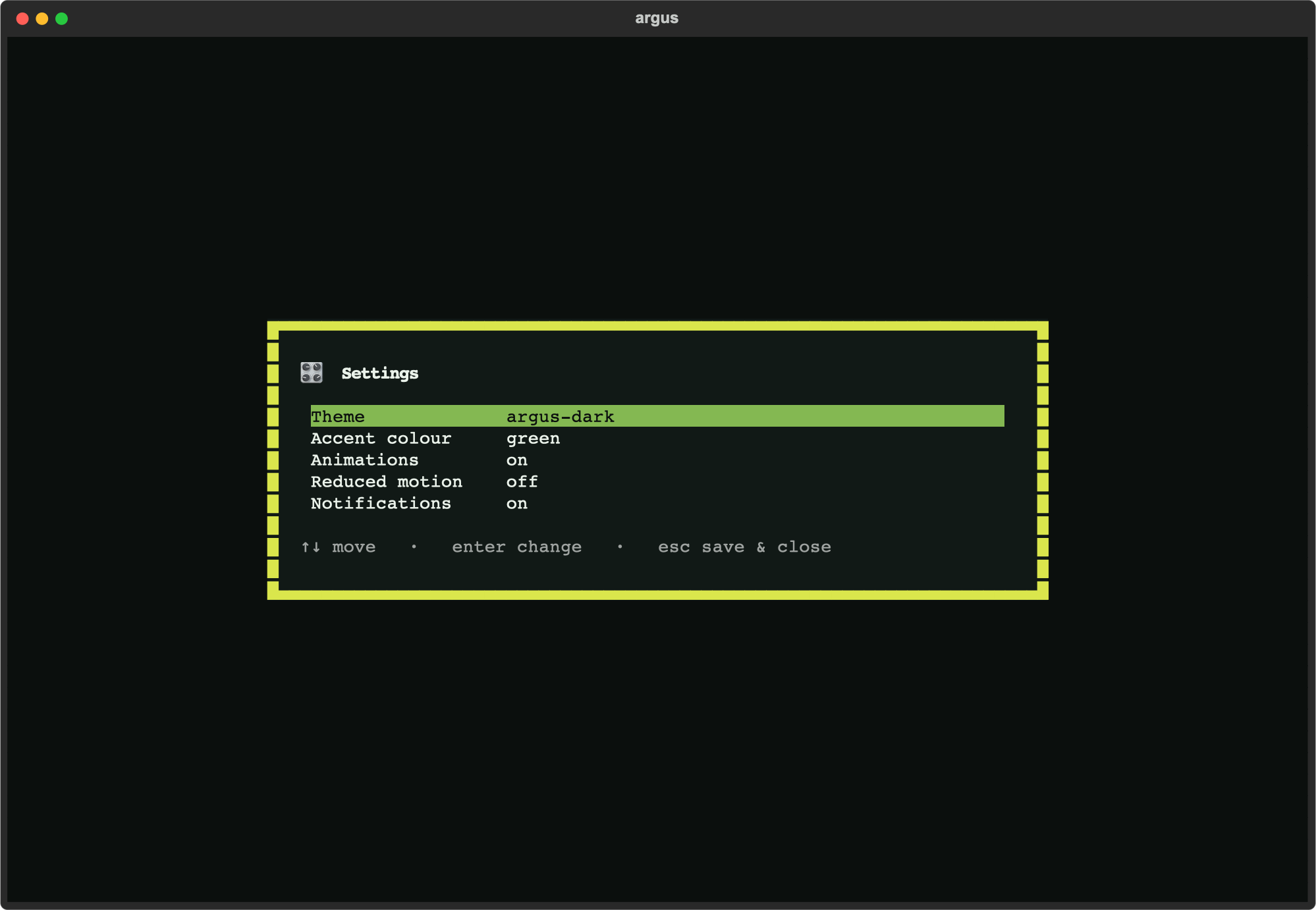
A keyboard- and mouse-friendly settings page. Move with the arrows, press
Enter to change the focused setting; accent previews live, and everything
persists to ~/.config/argus/console.yml (XDG-aware — honours
$XDG_CONFIG_HOME). Theme opens a live-preview dropdown: arrow up/down to
see each theme applied instantly, Enter to keep it, Esc to revert to the one
you started on.
| Setting | Effect |
|---|---|
| Theme | Any of the built-in Textual themes plus the bespoke argus-dark — chosen from a live-preview dropdown (↑↓ preview · Enter choose · Esc revert). |
| Accent colour | Tints the argus-dark theme; previews instantly. |
| Animations | Master switch for motion (e.g. the home fade-in). |
| Reduced motion | Overrides Animations — turns all motion off (accessibility). |
| Notifications | Show or suppress in-app toast notifications. |
Settings are user preferences, kept separate from your project's
argus.yml scan configuration.
Relationship to argus view
The Console and argus view terminal share the same findings viewer —
"View findings" opens it, and argus view is the direct deep-link. See
view-terminal.md for the full triage reference. The
broader plan for the Console (deeper vulnerability mitigation and folding
the findings viewer in as a true in-app screen are next) lives in
developer/CONSOLE-ROADMAP.md.